Viewing Calendar Events
See your Google Calendar events in Cadeo's timeline views.
Where Events Appear
Calendar events show up in:
- Today view - On the daily timeline
- Week view - Across all seven days
Event Display
Events show:
- Event title
- Start and end time
- Color (from Google Calendar)
- Location (if set)
- Attendees (dots showing participants)
Clicking Events
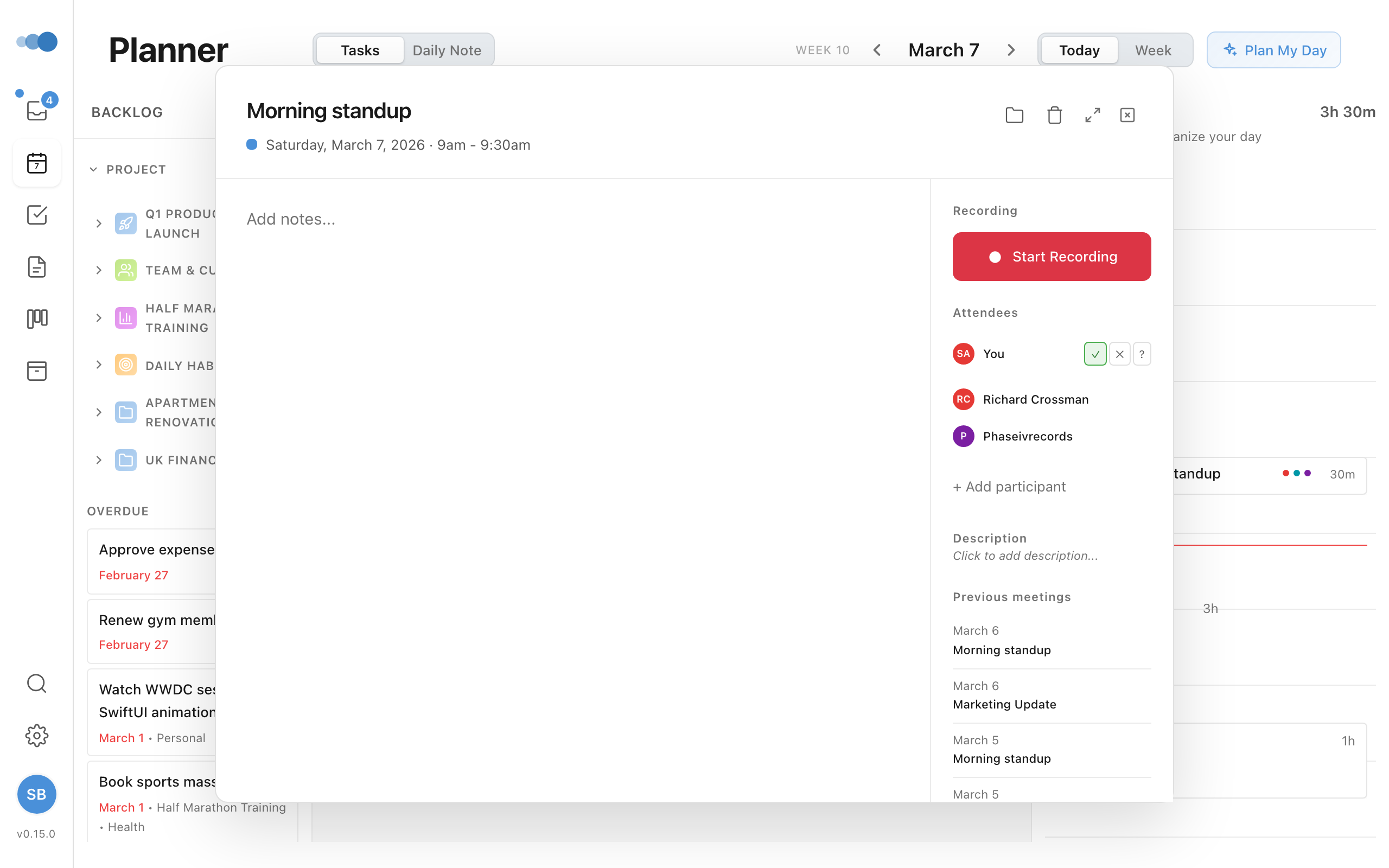
Click any event to see:
- Full event details
- Attendee list with RSVP status
- Meeting notes
- Action items
Attendee Responses
When an event has guests, the Attendees section shows how each person replied to the invite, so you can see who's actually coming at a glance:
| Indicator | Meaning |
|---|---|
| Green ✓ | Yes — accepted |
| Amber ? | Maybe — tentative |
| Red ✗ | No — declined |
| Grey ○ | Awaiting — no reply yet |
A summary line tallies the responses, for example 2 yes · 1 no · 1 awaiting. The event's organizer is labelled, and your own row keeps the buttons to change your response.
This works on web, desktop, and iOS for Google Calendar events. On iOS, Apple Calendar events also show responses for events that have synced invitees.
All-Day Events
All-day events appear at the top of the day, not on the timeline.
Event Colors
Events use colors from Google Calendar. Each calendar can have its own color, making it easy to distinguish:
- Work meetings
- Personal events
- Different projects
Refreshing Events
Events sync automatically, but you can force a refresh:
- Click the refresh icon in the calendar area
- Wait for events to update
Events from all enabled calendars appear together on your timeline.