Settings Overview
Access Cadeo settings by clicking Settings (the gear icon) in the sidebar.
The sidebar shows the name of each place beside its icon. Click ‹ at the bottom to fold it down to icons only, and › to bring the names back — Cadeo remembers your choice on this device. In a narrow window it shows icons only. Settings are organized into nine tabs, grouped so each tab has one clear job.
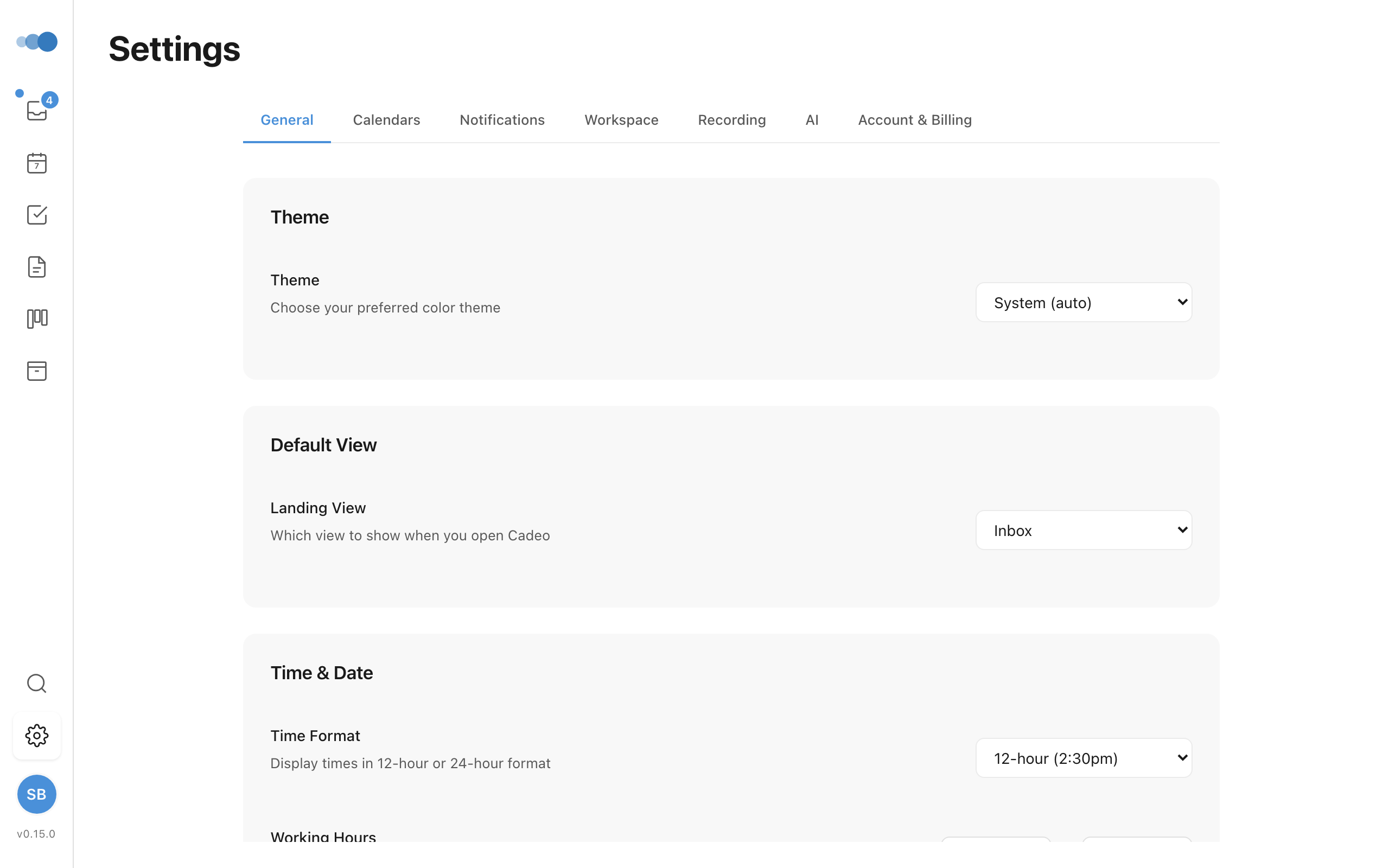
General
Foundational behaviour and shortcuts:
- Getting Started — re-open the onboarding checklist
- Time & Date — 12/24-hour time, working hours, default task duration
- Navigation — reorder, enable, or disable sidebar items
- Menu Bar — menu-bar app configuration (desktop only)
- Keyboard Shortcuts — view and customise all shortcuts
Appearance
How Cadeo looks and the defaults that frame your day:
- Theme / Dark Mode — light, dark, or system-matched
- Landing View — where Cadeo opens: Where I left off (the default: the same view, and the project or area you had open) or a view you choose
- Startup — launch at login (desktop only)
- Display — modal vs. fullscreen sizing per content type (project, task, event, note)
Integrations
Connect Cadeo with your other tools:
- Slack — create tasks from messages with the "Send to Cadeo" shortcut
- Email to Task — copy your unique forwarding address; emails sent there land in your Inbox
- Apple Reminders — import reminders as tasks (desktop only)
- AI agent access (MCP) — create an access token so an external AI assistant can read and act on this workspace
Calendar
Connect your calendars and control how they appear:
- Connected Google Accounts — add Google accounts to view their calendars in Cadeo
- Apple Calendar — view native macOS calendar events (desktop only)
- Calendar Display — show or hide all-day events on the planner, and hide declined meetings (meetings you've responded "No" to) from your planner, calendar views, and the menu bar — including their pre-meeting alerts. Off by default.
- Visible Calendars — per-account collapsible dropdown, toggle which calendars appear on your timeline
- Primary Calendar — where new events get created
- Task Sync — put timed tasks on your Primary Calendar: Google, or Apple Calendar on the Mac
- Calendar Areas — map calendars to areas so events inherit the right area automatically
Notifications
How and when Cadeo gets your attention:
- Channels — in-app, push, email
- Notify Me About — granular per-event-type matrix (mentions, comments, calendar, AI, etc.)
- Quiet Hours — suppress push and email during set hours
- End of Day Reflection — daily wrap-up sheet, follows working hours by default
Workspace
People and identity for collaborative use:
- Workspace Name — rename your workspace
- Members — invite colleagues, manage access
- Pending Invitations — re-send or revoke
Recording & AI
Recording capture and the models that turn it into useful artefacts:
- Recording Settings — microphone, transcription method, storage
- AI Models — primary and fast models for completion
- Cloud AI — fallback to managed Cadeo AI when local models can't keep up
- Data & Privacy — what stays on-device, what goes to the cloud
Billing
Manage your subscription:
- Current Plan & Usage — see what's included and what you've used this month
- Plans — upgrade, downgrade, or change billing cycle
Account
Identity, support, and the danger zone:
- Support Info — email, workspace name, copy a support bundle for the team
- Help & Support — links to this site and contact options
- Sign Out — log out of Cadeo
- Delete Account — permanently delete your account and all data. You'll be asked to type DELETE to confirm. This works the same whether you signed up with email, Google, or Apple — no password is required.