Notifications
Configure how and when you receive notifications in Settings > Notifications.
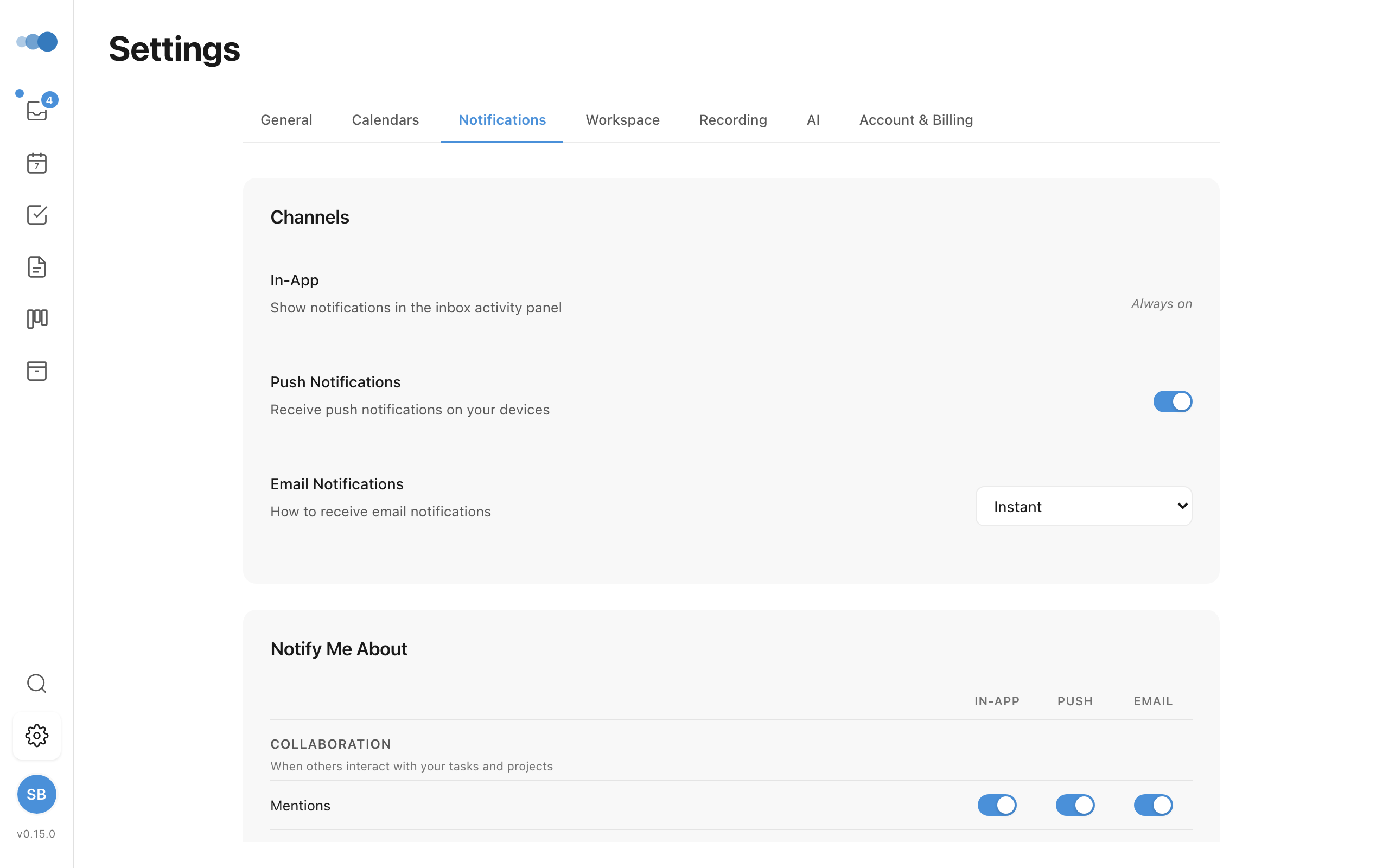
Notification Types
Cadeo sends notifications across three categories:
Collaboration
- Mentions, comments, assignments
- Invitations, project shared, note shared
AI Insights
- Morning briefing, meeting prep
- Calendar intelligence, project pulse
My Activity
- Recording completed
- Task completed, project completed
Delivery Channels
| Channel | Options |
|---|---|
| In-App | Always on — notifications appear in the Activity feed |
| Push | Toggle on/off for desktop and mobile notifications |
| Off, Instant, or Daily digest |
Each notification type can be configured independently across all three channels using the settings matrix.
Quiet Hours
Suppress push and email notifications during specific hours:
- Enable the Quiet Hours toggle
- Set your start time (e.g., 10:00 PM)
- Set your end time (e.g., 7:00 AM)
In-app notifications still work during quiet hours.
Unread Indicator
A blue dot on the sidebar inbox icon shows your unread notification count.
Cadeo Learns When You Tune Out
Cadeo treats a recurring "mark all as read" the same way you would: as a signal that a particular kind of notification isn't worth your attention right now.
- When you clear a batch of unread notifications without opening them, that counts as one dismissal for each type of notification in the batch.
- If you dismiss the same type three times in a week, Cadeo mutes that type — both in-app and push — for 14 days.
- Mutes auto-expire. No settings panel to manage; the system just goes quiet on its own and comes back later.
- Mutes are per-device (they live in your browser/app's local storage), so muting on your laptop doesn't silence the same type on your phone.
You can wake a muted type up early by clicking through any later notification of that type, or by clearing the local storage entry cadeo_notif_dismiss_log.
Avoiding Notification Trains
Two layers protect you from getting blasted with notifications when several things happen at once:
- 3-per-day proactive cap — Cadeo will send at most three proactive push notifications per day (morning brief, meeting prep, calendar intelligence, project pulse). The fourth lands in your inbox but doesn't buzz your phone.
- 5-minute coalesce window — if any proactive push went out in the last five minutes, the next one skips the buzz. The inbox still gets the record so nothing is lost.
Reactive notifications (mentions, comments, assignments) bypass both — those are signals you asked for directly.